Shooting tips · B-rollWhat Is B-Roll?
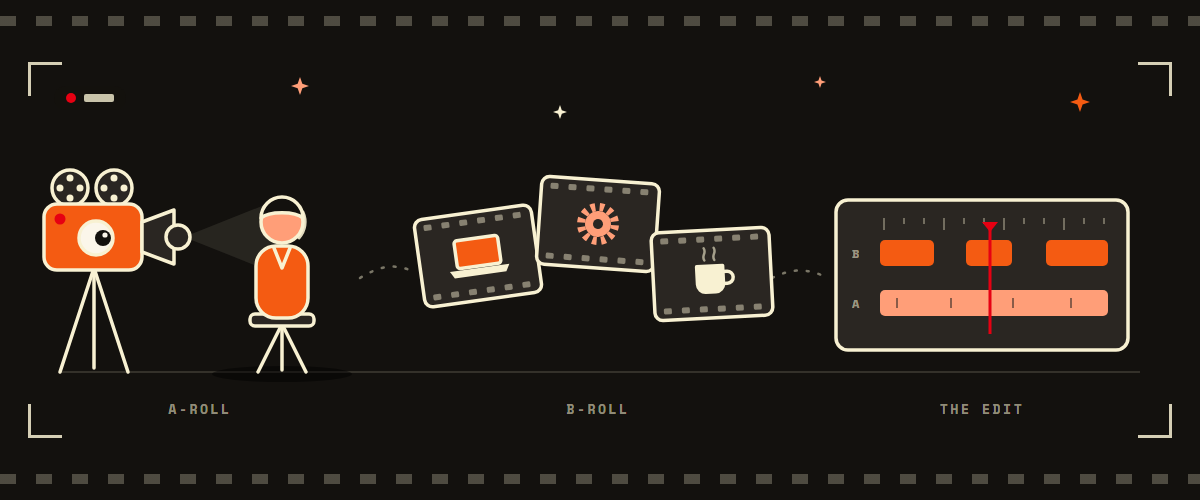
B-roll is the supporting footage that plays over or between the main footage of a video. The main footage, usually someone talking to camera or being interviewed, is the A-roll. The B-roll is what viewers see while that person speaks: the product, the team at work, the place, the customer, the detail. It shows what is being said instead of just telling it, hides the cuts in an interview, and keeps the video moving.
Watch any good company film with the sound off and you will notice how little of it is the person talking. Most of what you see is B-roll: hands on a machine, a team around a whiteboard, a customer opening the box, the building at dawn. The interview carries the story; the B-roll makes it believable.
B-roll meaning, and where the name comes from
The name comes from the days of film and tape editing. Editors kept the main footage on one roll and the cutaway footage on a second roll, A and B, so they could switch and mix between them. Editing is digital now, but the names stuck: A-roll is the story, B-roll is everything you cut to while the story is being told.
You will also see it written as B roll, b-roll or broll. They all mean the same thing. B-roll footage can be filmed specially for the video, taken from your existing footage, or licensed as stock.
A-roll vs B-roll
| A-roll | B-roll | |
|---|---|---|
| What it is | The main footage that carries the story | Supporting footage cut over or between the A-roll |
| Typical shots | Interviews, talking heads, a presenter to camera | The work, the place, the product, the people, the details |
| Sound | The voice you hear is usually from these shots | Often silent or low natural sound, under the A-roll voice |
| Its job | Tell the story | Show the story, hide cuts and keep the pace |
Some videos are almost all B-roll, such as a brand film with a voice-over. Others, like a podcast, are mostly A-roll. Most business videos sit in between.
Why business videos need B-roll
- It shows instead of tells. When a founder says “every unit is tested before dispatch”, cutting to the testing bench makes it a fact, not a claim.
- It hides the edit. Interviews are cut down from long answers. B-roll covers the joins, so viewers don’t see the speaker jump from one position to another.
- It keeps attention. A single talking head gets tiring fast. Cutting to something new every few seconds keeps people watching, especially on social media.
- It lets you fix the words. With B-roll over the top, an editor can remove an “um”, tighten a sentence or join two answers without it showing.
- It gives you more videos. Good B-roll becomes Reels, ad cuts, website backgrounds and the opening of your next film.
20 B-roll shot ideas for business videos
Write your B-roll list from the script: for every sentence the speaker says, ask what the viewer could be looking at instead.
People at work
- Hands doing the job: typing, wiring, stitching, cooking, inspecting.
- A team meeting or stand-up, filmed from the side rather than front-on.
- Someone explaining something to a colleague at a screen or a whiteboard.
- A customer conversation at the counter, on the phone or on site.
- The speaker themselves at work, so they appear in action, not only in the interview chair.
The place
- The outside of the building, ideally in morning or evening light.
- People arriving, doors opening, lights coming on: the start of a day.
- A wide shot of the office, plant or store at its busiest.
- An aerial view of the site or campus, where drones are allowed. See drone videography.
The product and the process
- The product in use, in a real setting, by a real person.
- A slow push in on the finished product.
- The key steps of making or delivering it, in order.
- Quality checks, tests and certificates on the wall.
- Packing, loading and dispatch: proof that things actually ship.
Details
- Extreme close-ups: a dial, a texture, a signature, a stamp.
- Screens and dashboards, with any confidential information hidden.
- Small human moments: a laugh, a handshake, tea being poured.
Customers and results
- The customer’s site or home after your work, with their permission.
- Before and after, filmed from the same position.
- An award, a milestone or an event, where your people are recognised.
Making a testimonial? See testimonial video examples for the questions that give you the A-roll, then film B-roll of everything the customer mentions.
How to shoot B-roll that cuts well
- Hold every shot for at least ten seconds. Start and stop recording a few seconds early and late, so the editor has clean frames to cut on.
- Film every action wide, medium and close. Three angles of the same moment give the editor a sequence instead of a single clip.
- Move slowly, or don’t move at all. A steady shot or a slow, smooth move on a slider or gimbal cuts better than handheld wandering.
- Film after the interview. Note what the speaker mentions, then go and film exactly that. It is the fastest way to make the pictures match the words.
- Shoot vertical versions of the best shots. Reels and Shorts need 9:16, and reframing widescreen footage later loses most of the picture.
- Keep the light consistent. B-roll that changes colour from shot to shot looks like it came from different videos. See video lighting for business videos.
- Ask before you film people. Get consent from staff and customers who will be recognisable, and keep confidential screens, documents and processes out of frame.
How much B-roll do you need?
More than you think. In a typical company film or testimonial, B-roll covers a large part of the running time, and the editor needs several options for every moment. A practical rule is to shoot three to four times as much B-roll as you expect to use, and to plan at least one B-roll shot for every sentence of the script.
Stock B-roll or your own?
Stock footage is fine for generic shots like a city skyline, traffic or a sunrise. It is a poor substitute for your own people and places. Viewers recognise stock offices and smiling models, and in India they quickly notice when the office on screen clearly isn’t in India. Your own B-roll is what makes a business video believable, and once filmed it keeps working in every video you make afterwards.
Planning your next video? The free Video Planner builds a 90-day plan and a first script, scene by scene, which is the right starting point for your B-roll list. And for the script itself, see how to write a corporate video script.
We plan the B-roll from your script, film it alongside the interviews, and edit it into a film that shows what you do. Already have footage? We can cut it for you.
B-Roll Questions
What is B-roll?
B-roll is supporting footage that plays over or between the main footage of a video. While someone talks on camera (the A-roll), the B-roll shows what they are talking about: the product, the place, the people and the work.
What is the difference between A-roll and B-roll?
A-roll is the main footage that carries the story, usually an interview or a presenter talking to camera. B-roll is the supporting footage cut over it to show what is being described, hide edits and keep the pace.
Why is it called B-roll?
In film and tape editing, the main footage and the cutaway footage were kept on two separate rolls, labelled A and B, so editors could switch and mix between them. The names stayed after editing went digital.
What are examples of B-roll?
Hands at work, a team meeting, the outside of the building, the product in use, the production process, quality checks, close-up details, customers using the product, and before-and-after shots.
How much B-roll should you shoot?
Plan at least one B-roll shot for every sentence in the script, and shoot three to four times as much as you expect to use, holding each shot for at least ten seconds so the editor has options.
Can I use stock footage as B-roll?
Yes, for generic shots like skylines, traffic or nature. For your people, workplace and product, film your own: viewers recognise stock footage, and it makes a business video less believable.
Or write to zenarchproductions@gmail.com · DM us @zenarch.productions